


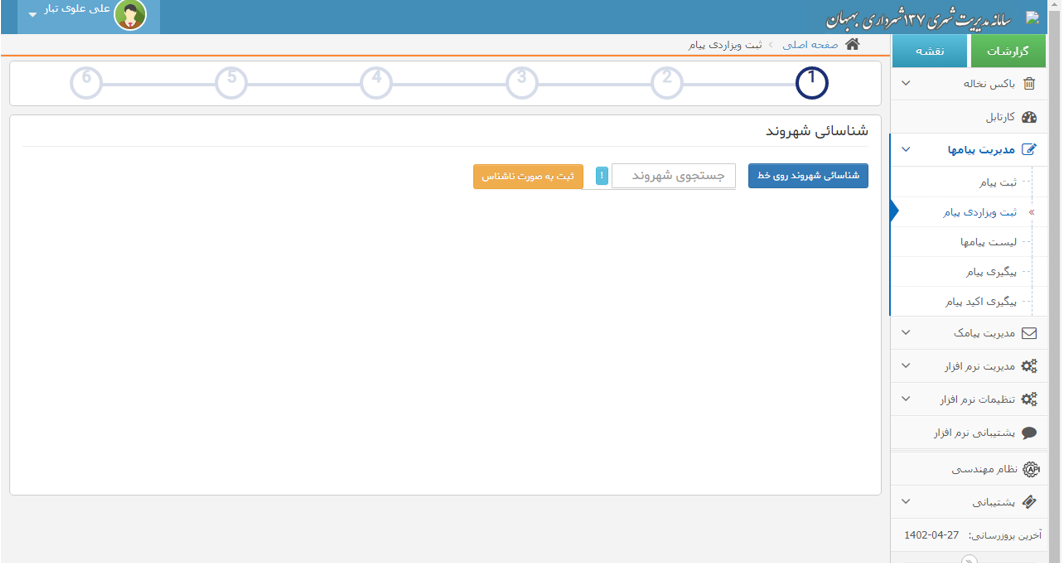

Identify citizen on the line: If a citizen is on the call, by selecting this option the citizen’s number will be displayed.
Register anonymously: If the request is registered anonymously, select this option.
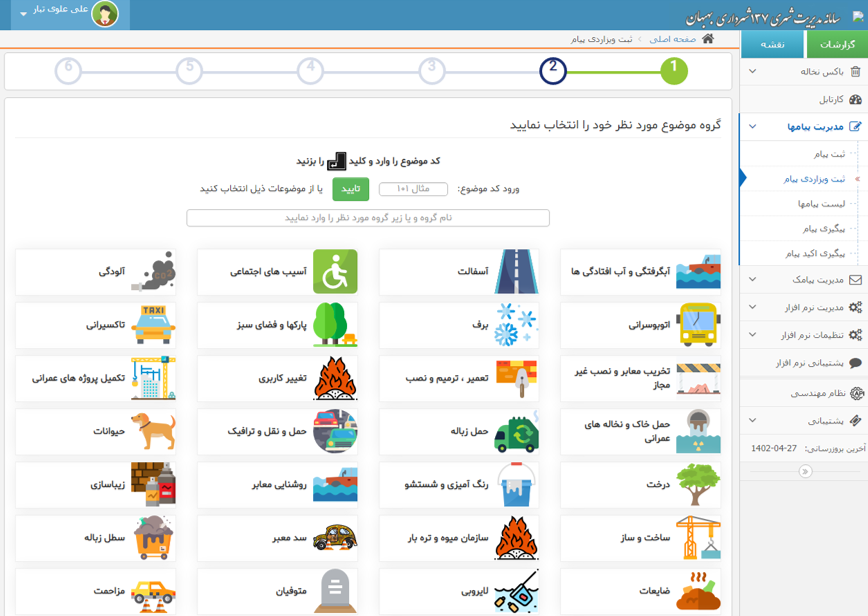
Subject selection: Choose the main subject here.
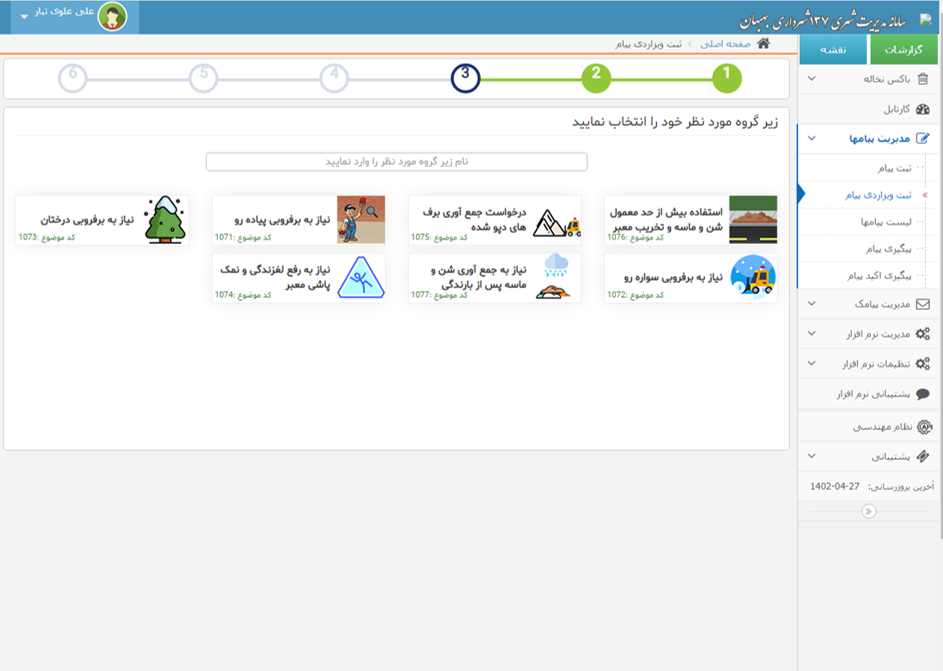
Sub-subject selection: Choose the subcategory here.
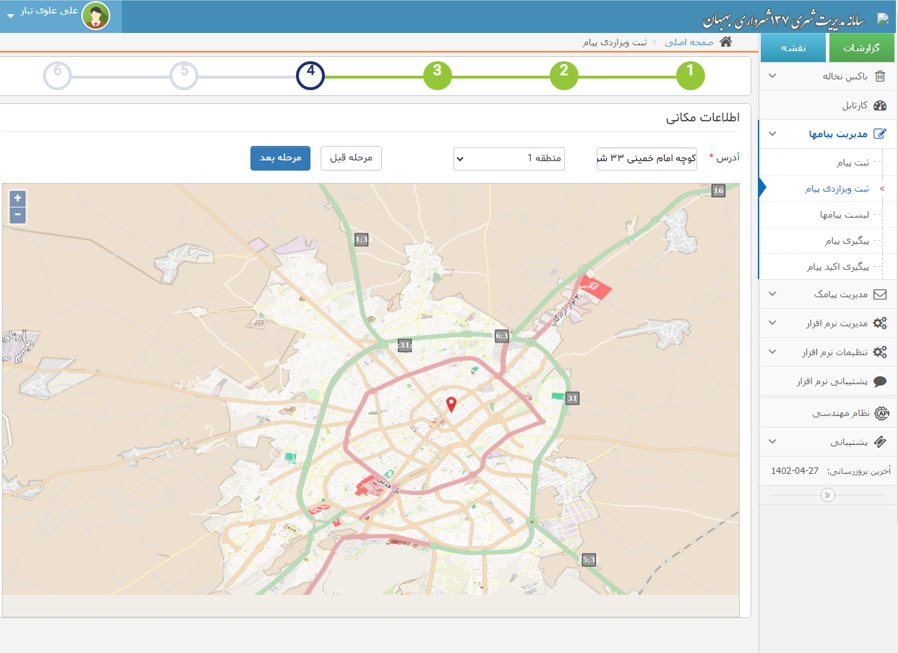
Select address from map: Choose the location directly from the map.
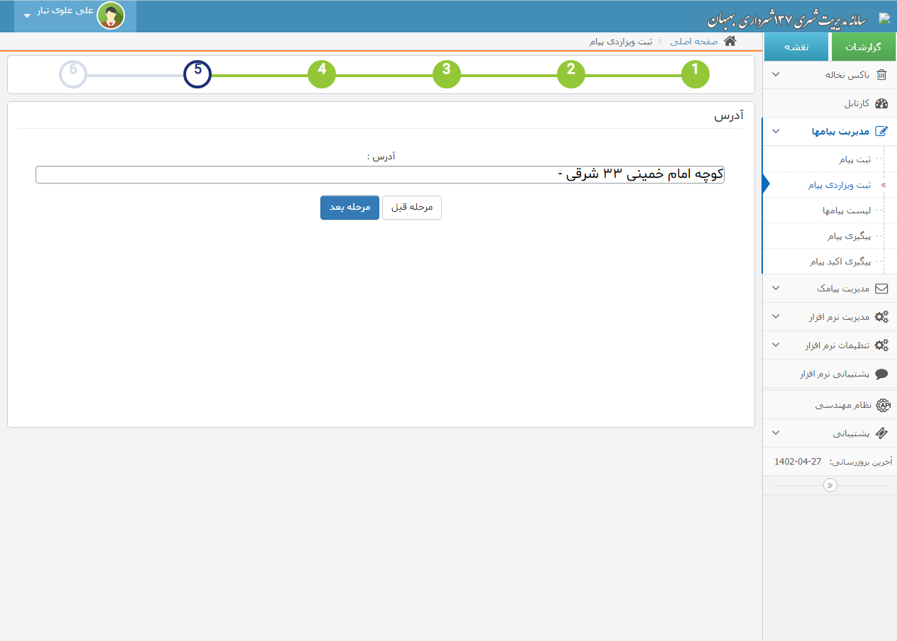
Enter address manually: Enter the full address here.
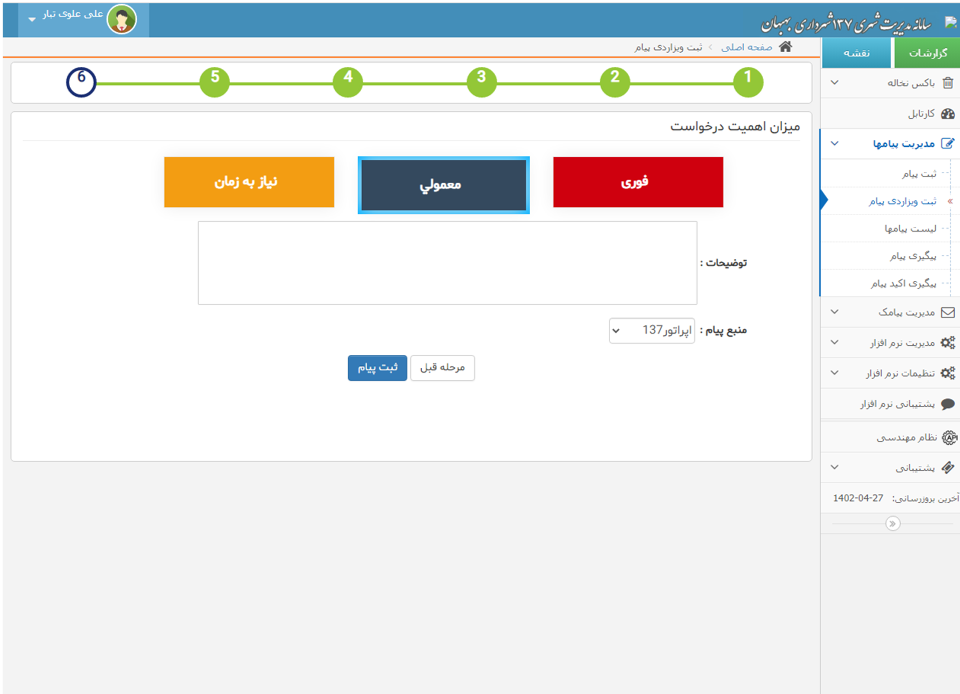
Request priority: Select the importance level of the request.
Description: Enter the required details in the description field, then press Register Message.
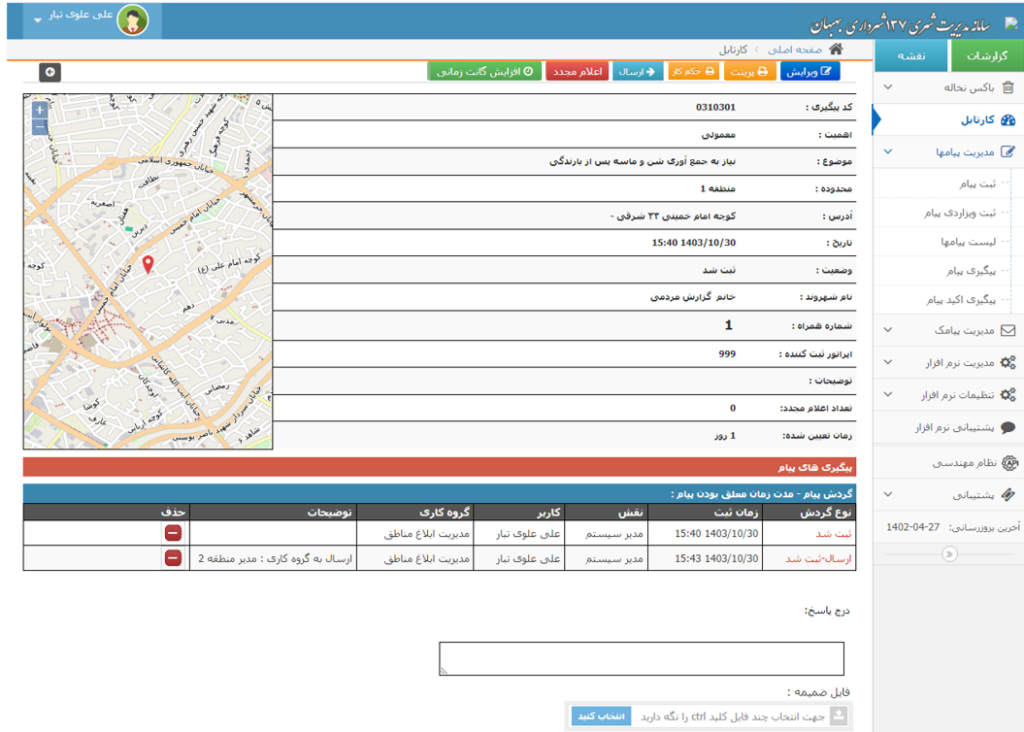
In the inbox section, message workflow can be managed.
Requests assigned to the responsible unit are displayed in the inbox.
Edit: Edit the selected message.
Print: Print the registered request.
Work Order: A summary of the registered request that can be printed and delivered to the responsible officer for signature and then returned to the iAPP user.
Send: Send the registered request to the responsible unit.
Re-notify: Add a note and send a reminder via SMS.
Increase timeline: Extend the request deadline.
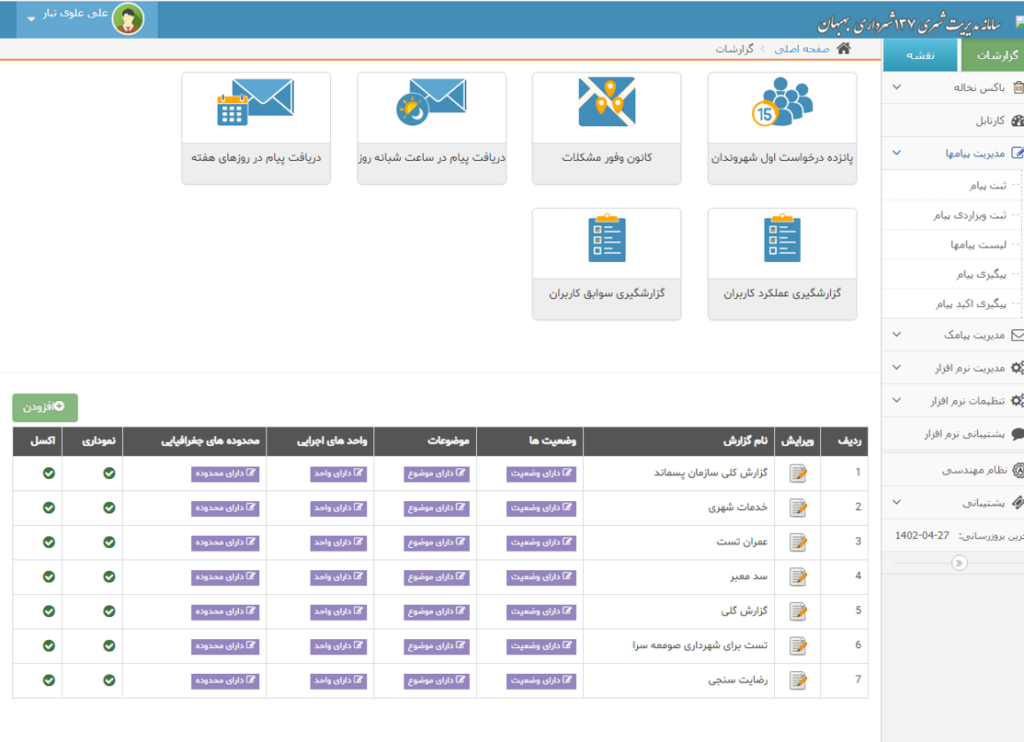
In the reports page, you can add a new report and it will be added to the report list.
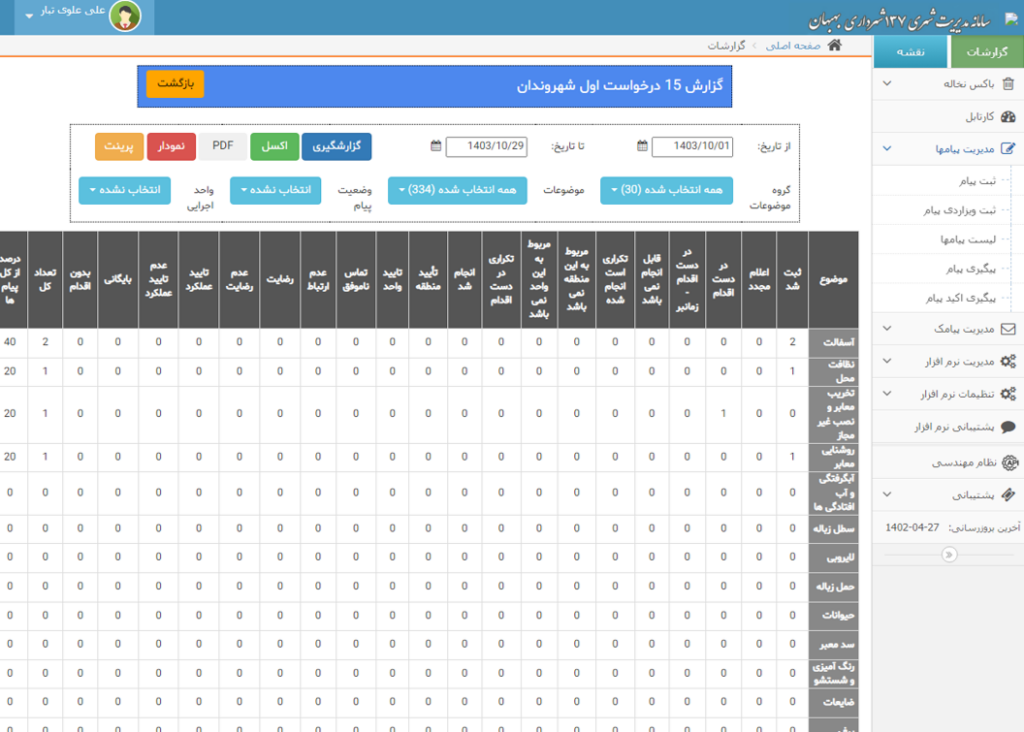
Report: 15 Citizen Requests
Select date, subject, message status, and executive unit to generate a report showing the number of requests by subject.
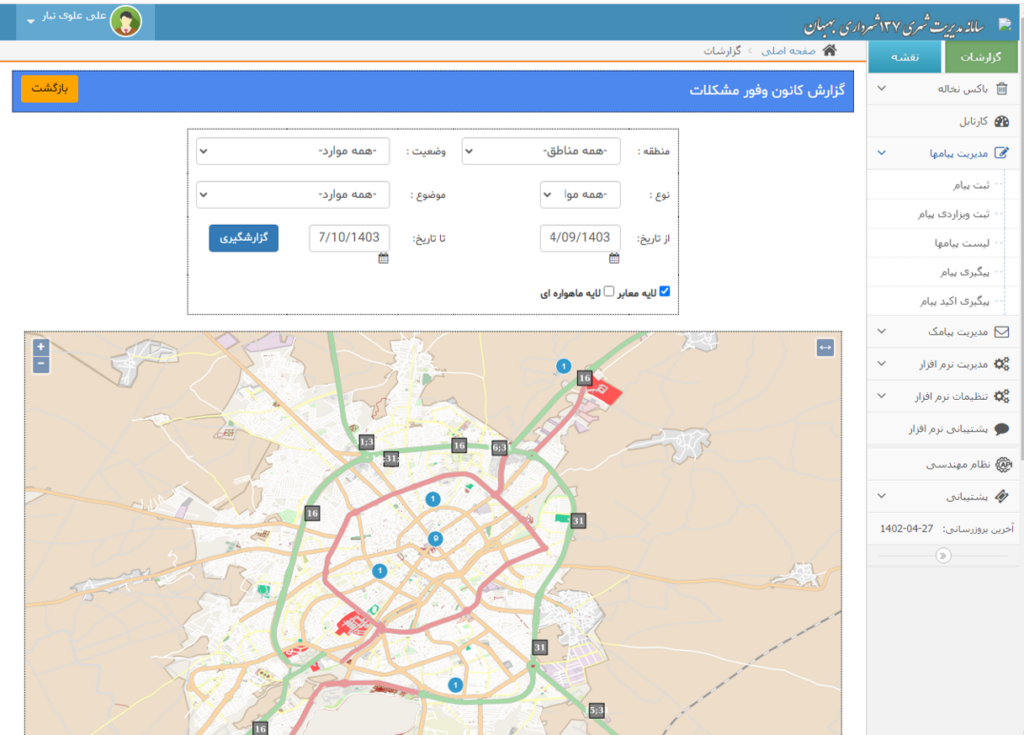
Problem Density Center (Hotspot Map)
Select the date and generate the report to display the number of requests for each location on the map.
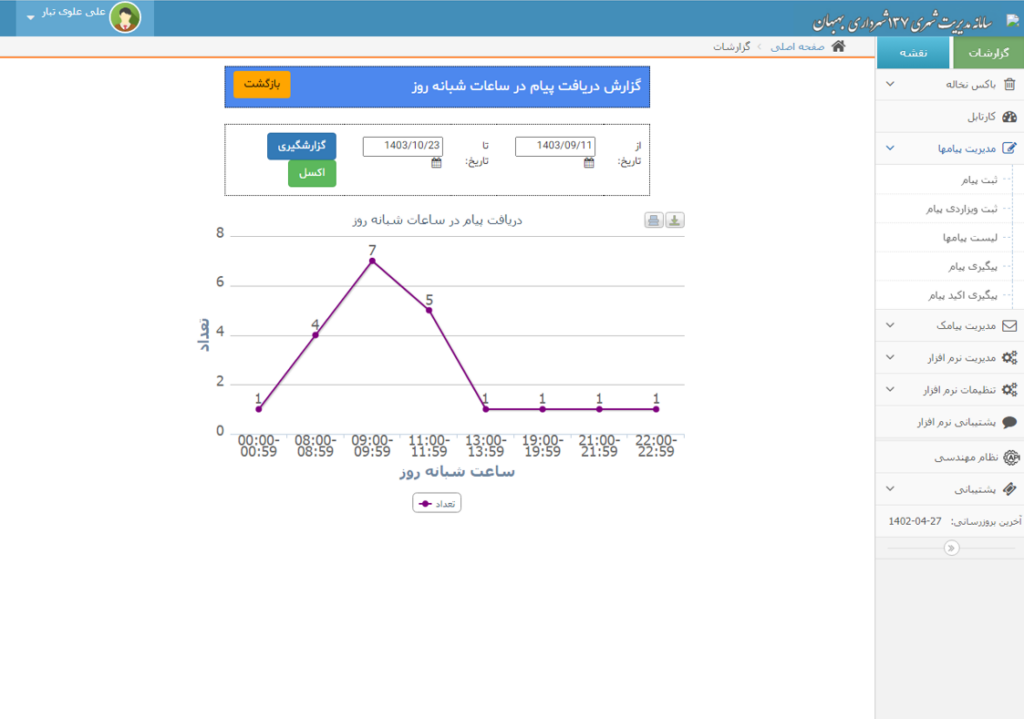
Select date and generate a report based on each hour of the day.
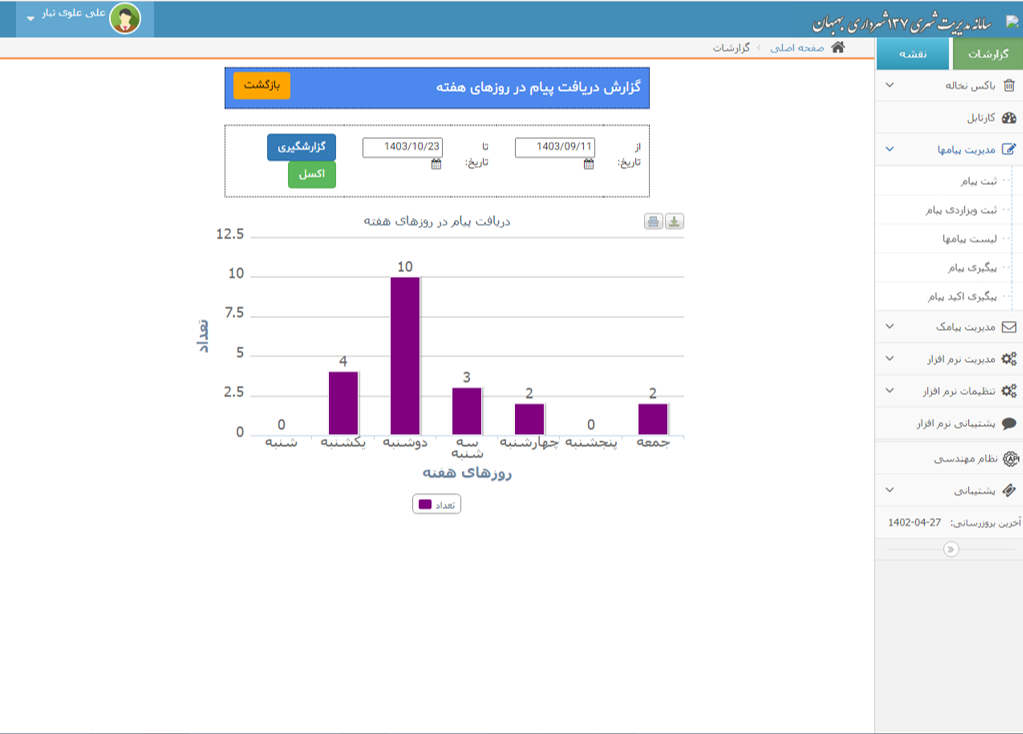
Weekly Report
Select date and generate the weekly report.
iAPP Version 2 is ready for deployment. Key new features include:
To view the app features via online video conference, send the number 2 to 30006928 by SMS.